

Shopify app integration connects your store to outside tools, so orders, inventory, and customer data move automatically instead of being copied by hand. Store owners usually reach this point after outgrowing spreadsheets, or after a busy sale weekend exposes every manual gap. This guide covers the APIs, webhooks, and setup steps behind a reliable Shopify custom integration, plus the mistakes that quietly slow teams down.
We work with stores across India and abroad, so these tips reflect real problems, not theory. By the end, you will know what a proper Shopify store integration involves and how to plan one safely.
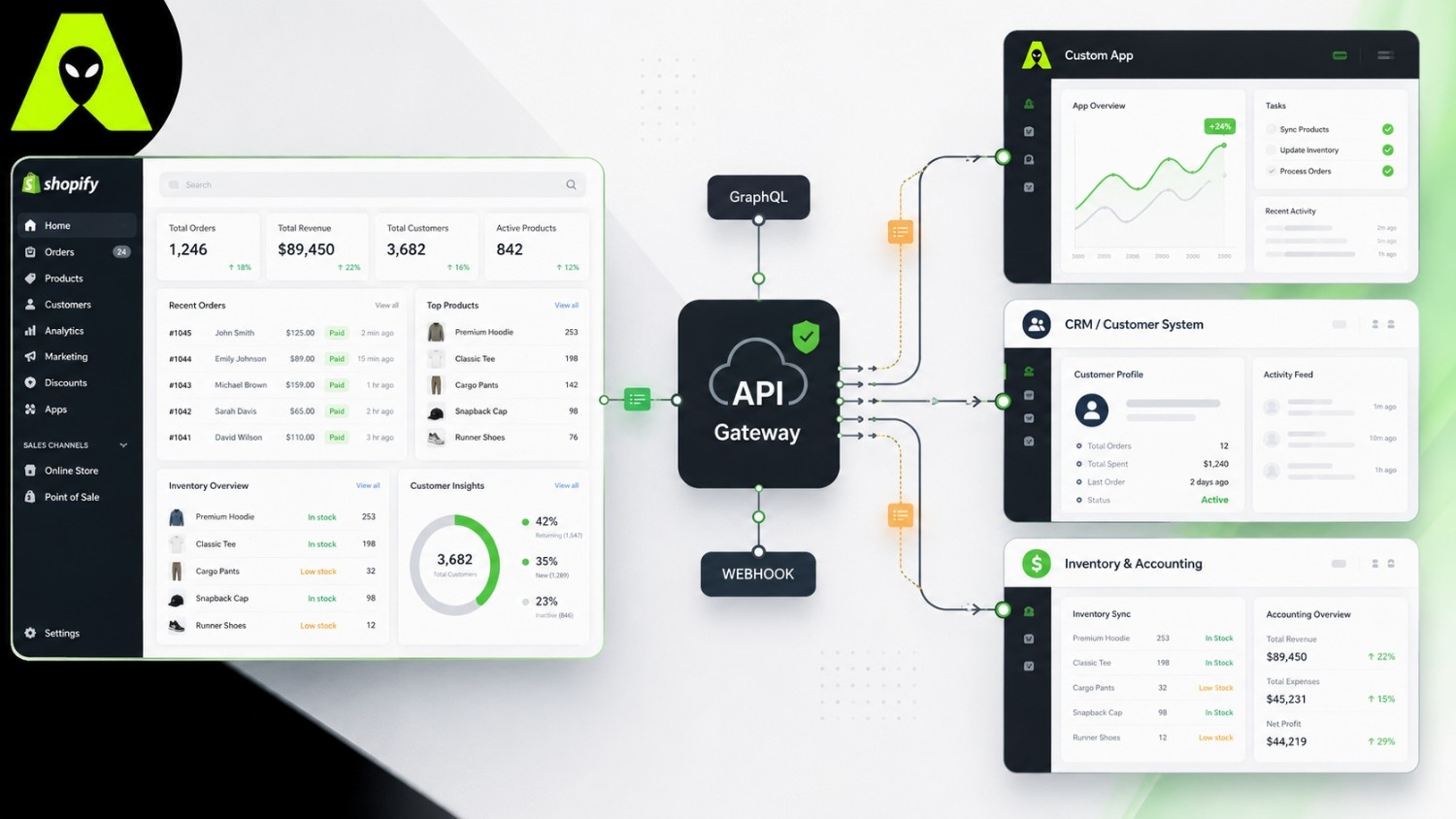
At its core, integration means giving two systems a shared language. Your Shopify store speaks through its API, and any connected tool — a shipping platform, an accounting system, a loyalty app — needs to understand that language too. Most integration work is really about mapping data correctly, not writing complicated code.
Before writing any code, decide what the integration should achieve — hourly inventory syncs, or instant CRM updates? Once that scope is clear, working out how to integrate Shopify API calls gets simpler, since you only request the fields your project needs. Create your app in the Partner Dashboard with scoped access tokens, then test every call in the GraphiQL explorer first. That habit catches errors before they reach a live store.
A Shopify custom integration usually fits one pattern: syncing inventory across warehouses, connecting accounting software, linking a CRM for order history, or feeding product data into a marketplace. Each case uses the same building blocks, arranged differently.
Shopify webhooks matter most when timing matters. Picture a customer cancelling an order minutes after placing it. Without a webhook, your fulfilment tool might not notice until its next scheduled check, and the item could already be packed. With one in place, the cancellation reaches your system within seconds. That said, delivery is not perfectly guaranteed, so a resilient setup also runs a periodic reconciliation job as backup. For setup and verification details, Shopify's own webhooks documentation is the most current source.
Traffic patterns differ by market. A store running a festive sale in India sees order volume spike within a short window, so its integration must handle bursts without hitting Shopify's query cost limits. A store shipping internationally, meanwhile, often needs currency conversion and multi-carrier logic baked in. Either way, a well-planned Shopify store integration should scale with demand, not break under it. If you weighed platforms before choosing Shopify, our WooCommerce vs Shopify comparison explains why many growing stores make that move.
It connects your Shopify store to another tool, such as accounting software or a CRM, so data moves between them automatically instead of being entered twice.
Most reliable integrations use both. APIs fetch data you request, while webhooks push updates the moment they happen, so together they keep everything current.
Simple syncs often take a few days. Multi-system integrations spanning inventory, shipping, and CRM data usually take a few weeks, depending on data quality.
Yes. Even one webhook, such as an instant new-order alert, can save hours of manual checking every week.
Shopify app integration is not about connecting everything possible. It is about connecting the systems that save your team time, then building that connection to survive busy sale days and API updates alike. Start with one clear use case, get it working reliably, and expand from there.
Planning a Shopify custom integration and want a team that has done this across stores in India and internationally? Get in touch with the Alien Web Solutions team — we'll scope your project honestly.