

Shopify app development sounds intimidating until you break it into stages: set up your environment, scaffold the app, build one feature, then test it on a real store. Most beginners stall at the very first step, unsure whether they need a coding background or a full team behind them. In practice, neither is strictly required, provided you follow the stages in order.
This guide is written for two audiences: developers exploring their first Shopify build, and business owners deciding whether to hire a Shopify app development company instead. Either way, understanding the process first will help you make a better decision.
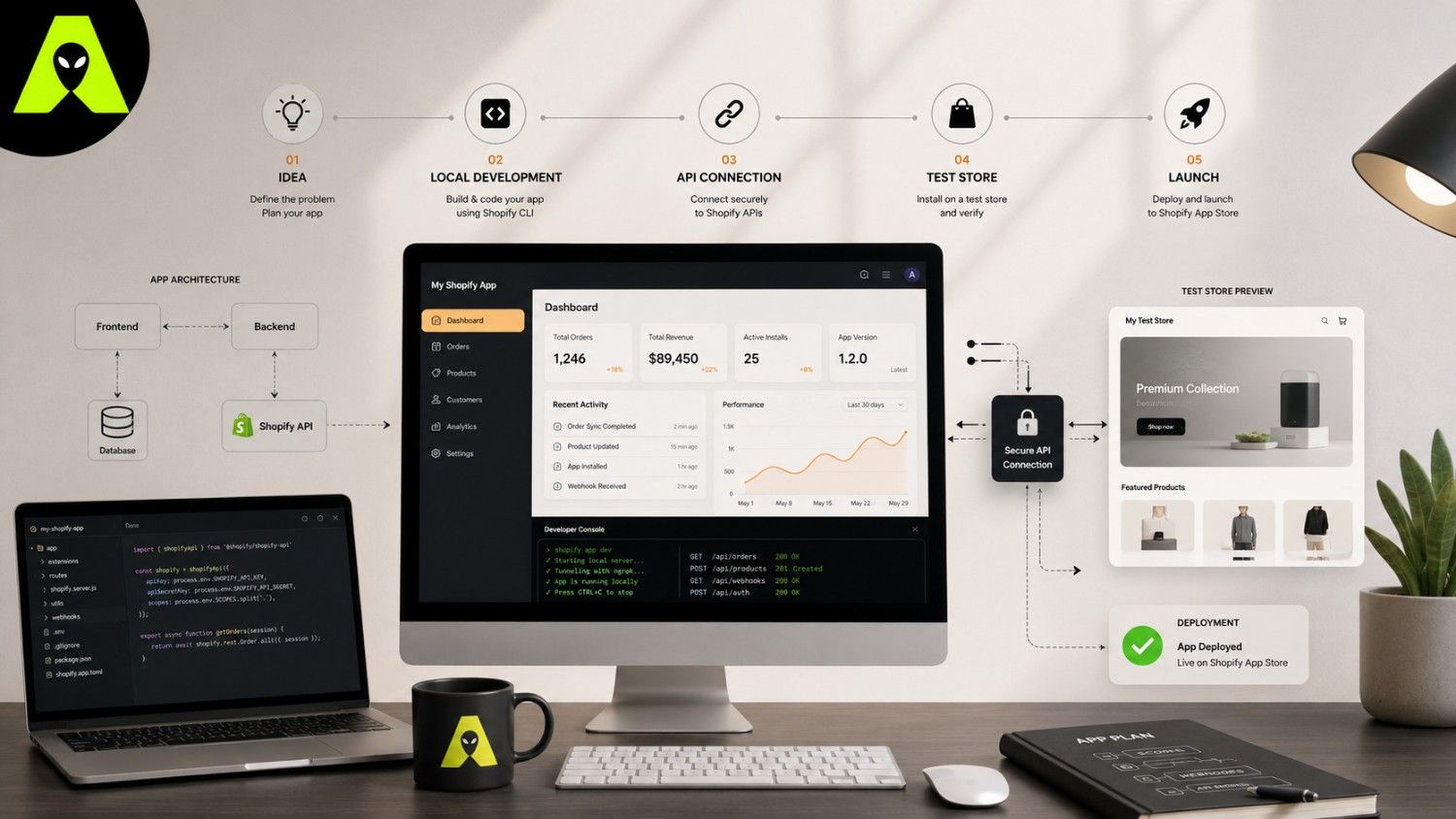
Every Shopify app, regardless of complexity, follows the same rough shape. First, you register the app in Shopify's Dev Dashboard, which replaced the older Partner Dashboard for app creation in 2026. Next, you scaffold a project locally using the Shopify CLI. Finally, you connect that project to a development store so you can test real data before anything goes live.
npm init @shopify/app@latest installs Shopify CLI and scaffolds a working project in one step.Once your app is scaffolded, it needs to actually read and write store data, and that is where Shopify API development comes in. Most modern apps use the GraphQL Admin API for this, since it returns exactly the fields you request instead of an entire bloated object. We cover query structure and cost limits in more depth in our Shopify GraphQL API tips guide, which pairs well with this one.
As your app grows, you will likely add webhooks so it reacts to events instantly rather than polling for changes. If your goal is purely to connect an existing app to another business tool, rather than building new functionality, that is a slightly different project. Our Shopify app integration guide covers that path in detail.
Start small. A single working feature, such as a discount calculator or an inventory alert, teaches you far more than an ambitious plan that never ships. Once that feature works reliably on your dev store, expand it gradually, and keep testing after every change.
A private app serves one store only, so it skips the Shopify App Store review process entirely, which suits internal tools and custom client work. A public app, on the other hand, must meet Shopify's review standards but can reach thousands of merchants. Most businesses in India and abroad start private, then consider going public once the app has proven itself.
Simple internal tools are often fine as solo or small-team projects. However, apps involving payments, multiple integrations, or App Store submission usually benefit from an experienced Shopify app developer, since review rejections and security issues cost more time than getting it right the first time. For Shopify's own technical requirements, its Dev Dashboard documentation is the most reliable current reference.
Yes, basic JavaScript and familiarity with APIs are needed for custom app development. No-code tools can handle simple storefront changes, but a true custom app still requires code.
Scaffolding with the Shopify CLI is fastest, since it sets up authentication, hosting, and project structure automatically instead of building each piece by hand.
A simple private app might take a developer a week or two. Complex public apps with multiple features and App Store review can take several months, so cost varies widely with scope.
Shopify app development rewards a staged approach: set up your environment properly, build one feature well, then expand. Skipping straight to a complex build is the most common reason projects stall halfway through.
If you are planning your first Shopify app, or deciding whether to bring in outside help, get in touch with the Alien Web Solutions team — we can review your idea and tell you honestly what it will take to build.